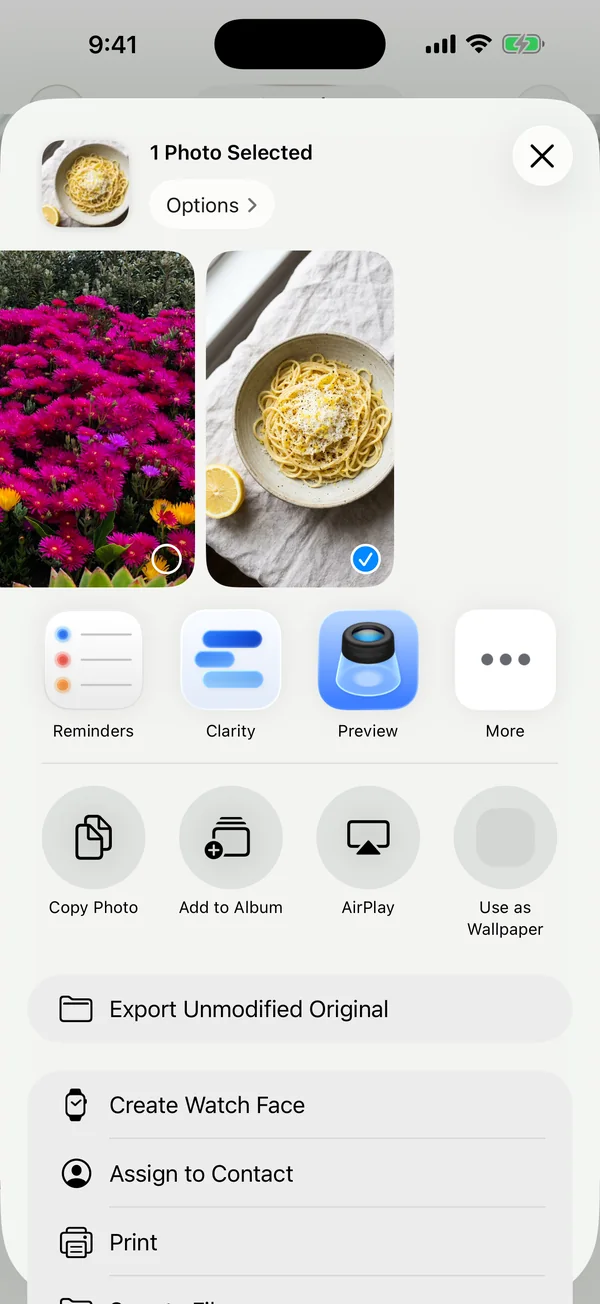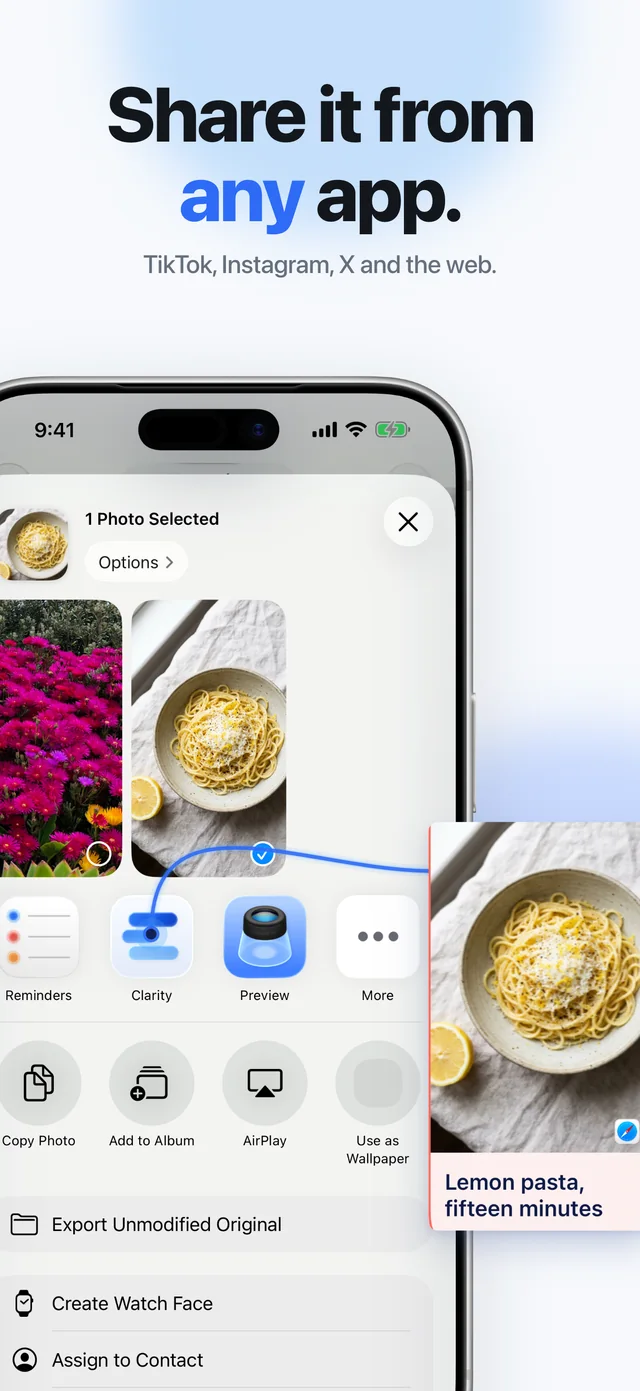
Share it from any app.
Tap Share, pick Clarity and keep scrolling. Reels, posts, links, PDFs and screenshots all land in one place, with the title and picture filled in.
Out now on iPhone and iPad
Share reels, posts, links, PDFs and screenshots to Clarity. It reads each one, files it into your areas and finds it later from a vague memory.
Free to save. Clarity Plus adds summaries and your AI.
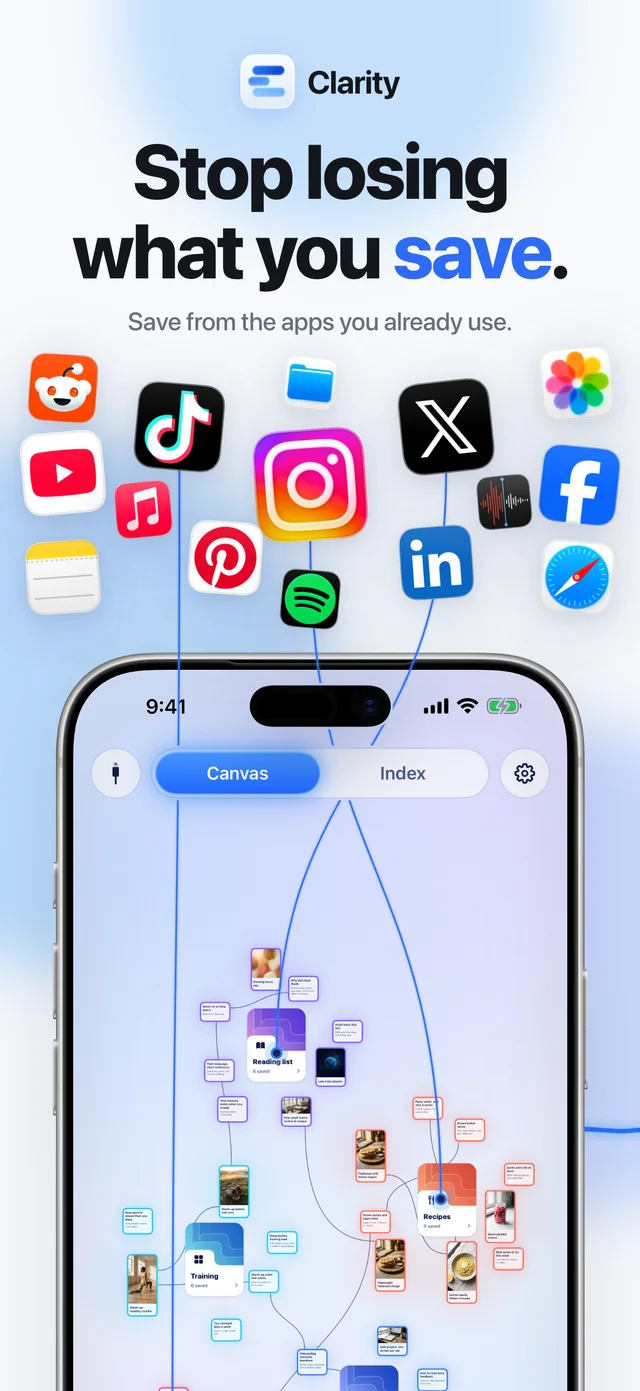
Videos, posts, links, photos, PDFs and voice memos, from any app with a Share button.
Including TikTok, Instagram, YouTube, X, Safari, Reddit, Threads, Pinterest, LinkedIn, Spotify, Photos, Notes, Voice Memos, Files, Facebook, Medium and Apple Music.
 TikTok
 Instagram
 YouTube
 X
X Safari
 Reddit
 Threads
 Pinterest
 LinkedIn
 Spotify
 Photos
 Notes
Notes Voice Memos
 Files
Files Facebook
 Medium
 Apple Music
How it works
Tap Share, pick Clarity and keep scrolling. Reels, posts, links, PDFs and screenshots all land in one place, with the title and picture filled in.
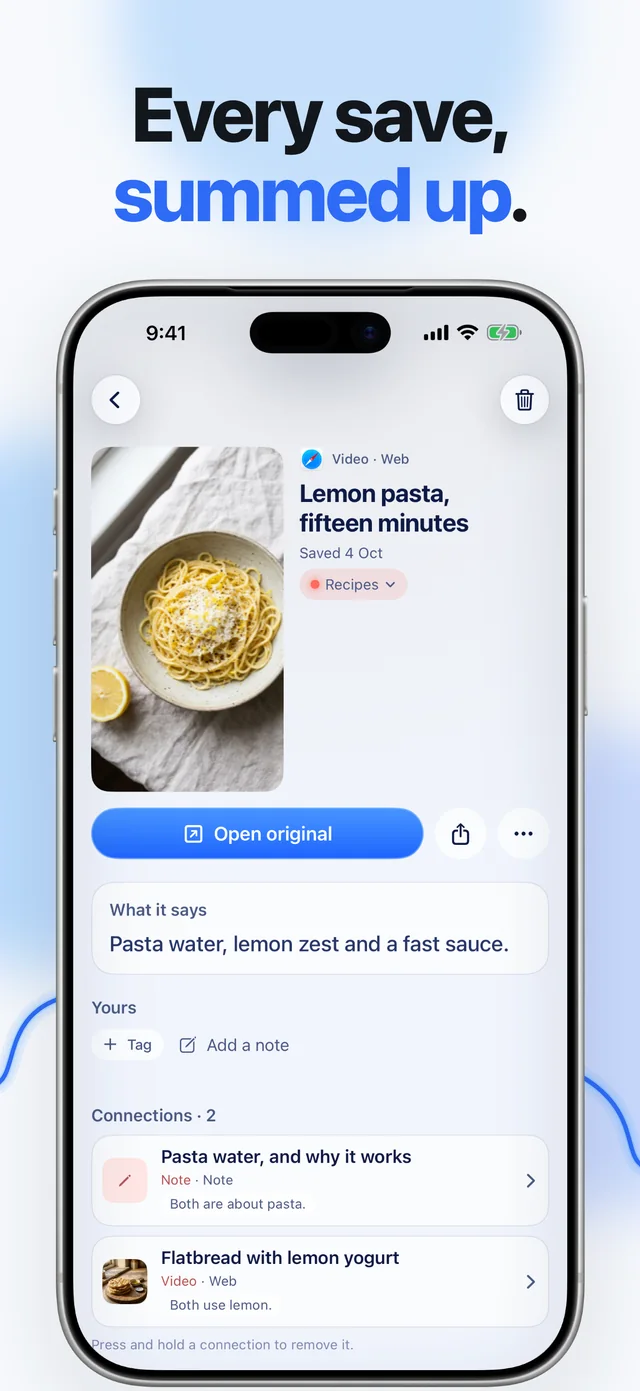
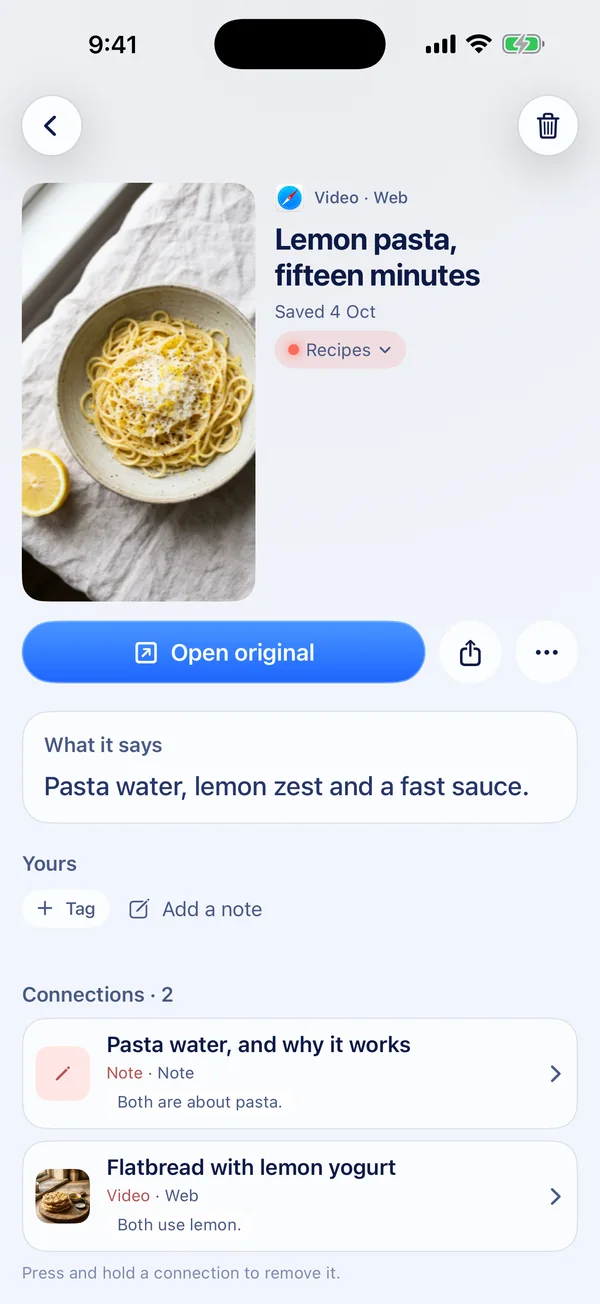
Clarity reads what you keep and writes the point in a few lines, so each card tells you why you saved it. Summaries come with Clarity Plus.
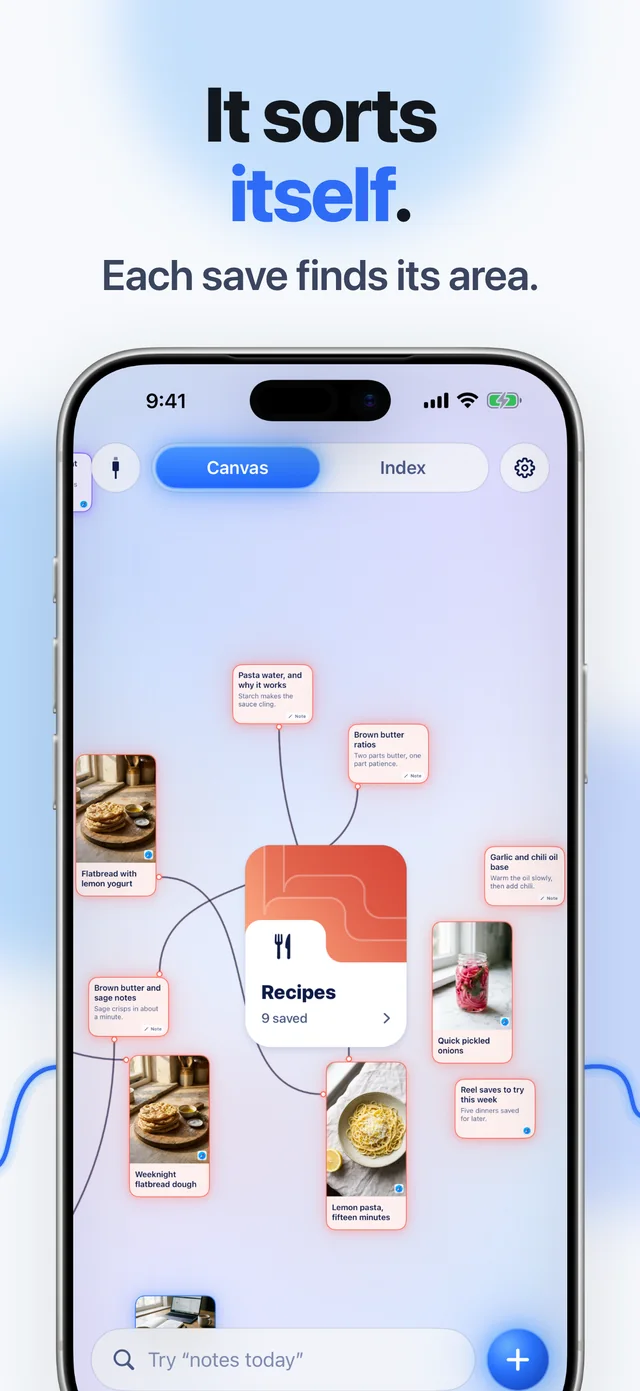
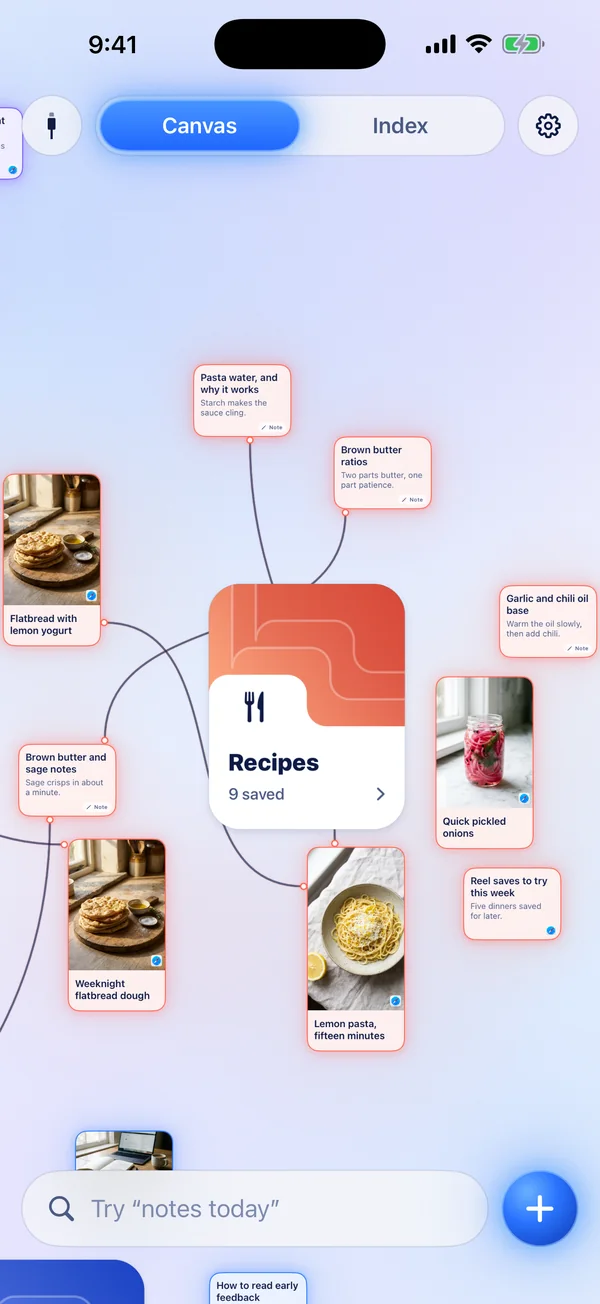
Each save finds its area. Recipes go with recipes and training with training, and related saves link up on one canvas you can pan, pinch and rearrange.
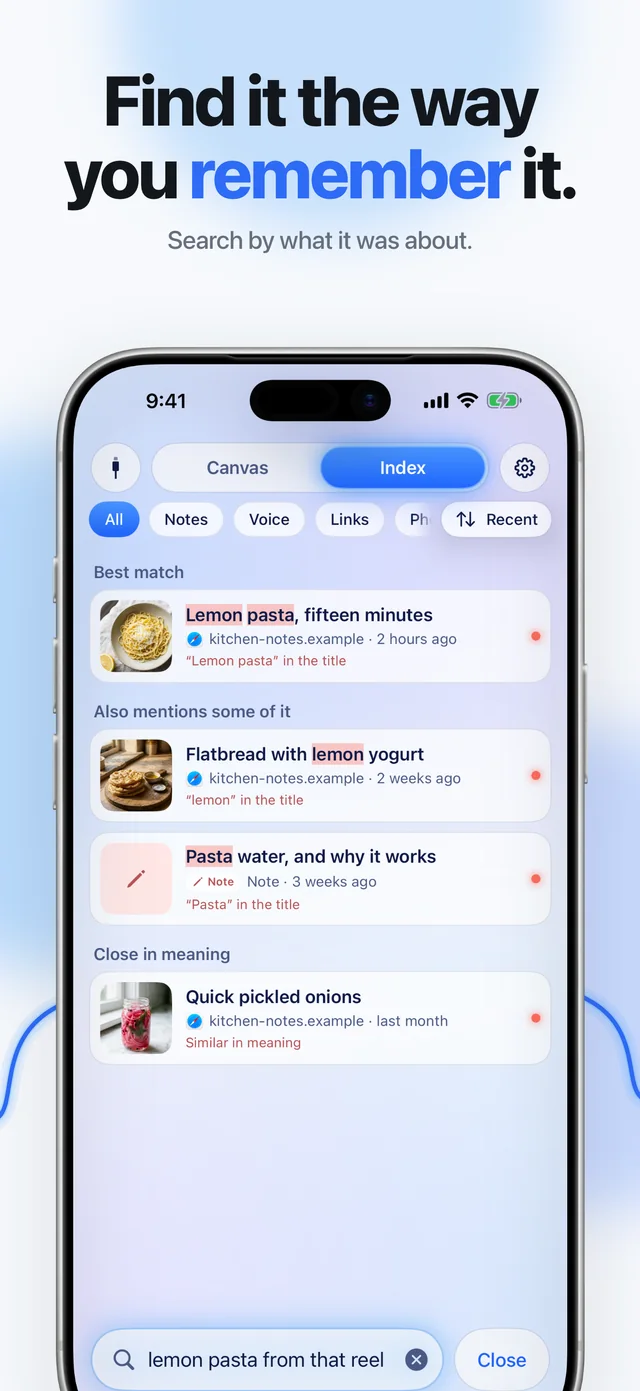
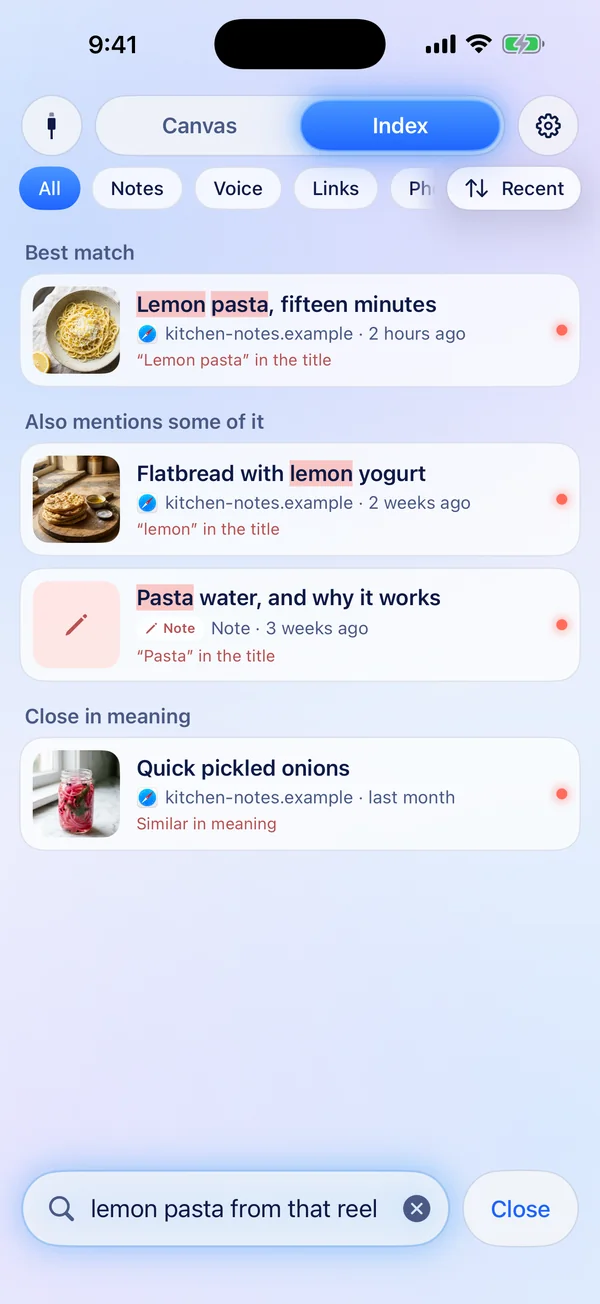
Search by whatever you recall about it. Type “lemon pasta from that reel” and the reel comes up first. Search runs on your device.
Your AI
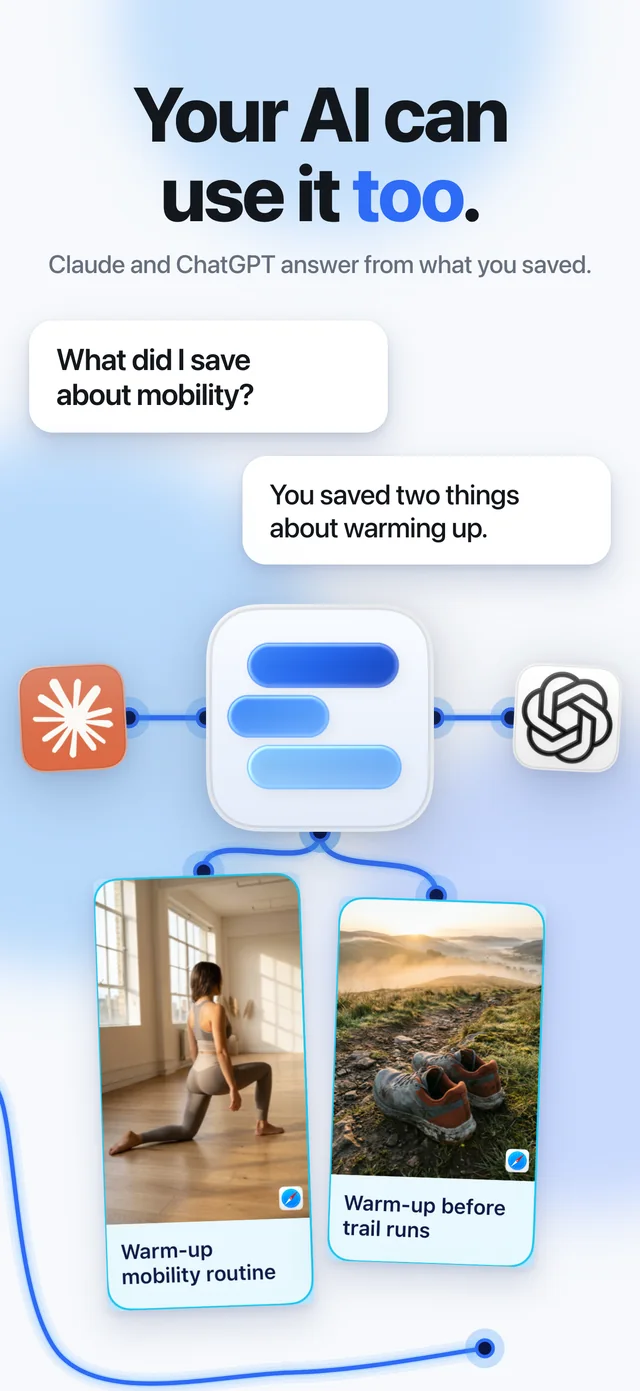
Connect Claude or ChatGPT with a one-time code from the app, or Claude Code with one command. They answer from the cards Clarity has summed up for you, so what you saved goes into the work you do next. They can only read. Comes with Clarity Plus.
 Claude
 ChatGPTClaude Code
Build me a warm-up for tomorrow’s trail run from what I saved.
 Searched Clarityget_context
 Warm-up mobility routineVideo · Training
 Warm-up before trail runsWeb · Training
Here’s one built from two saves in your Training area.
Reply to Claude…
Build me a warm-up for tomorrow’s trail run from what I saved.
Used Clarityget_context
Warm-up mobility routineVideo · TrainingWarm-up before trail runsWeb · TrainingHere’s one built from two saves in your Training area.
Ask anything
> build a warm-up for tomorrow’s trail run from my clarity saves
⏺ clarity - get_context (query: "warm-up trail run")
⎿ 2 cards: Warm-up mobility routine, Warm-up before trail runs
⏺ From two saves in your Training area:
1. Ten minutes of hips, spine and ankles (Warm-up mobility routine)
2. Then a short build-up for the cold morning (Warm-up before trail runs)
>
Sample illustration with the saves from the App Store screenshots.
iPhone and iPad
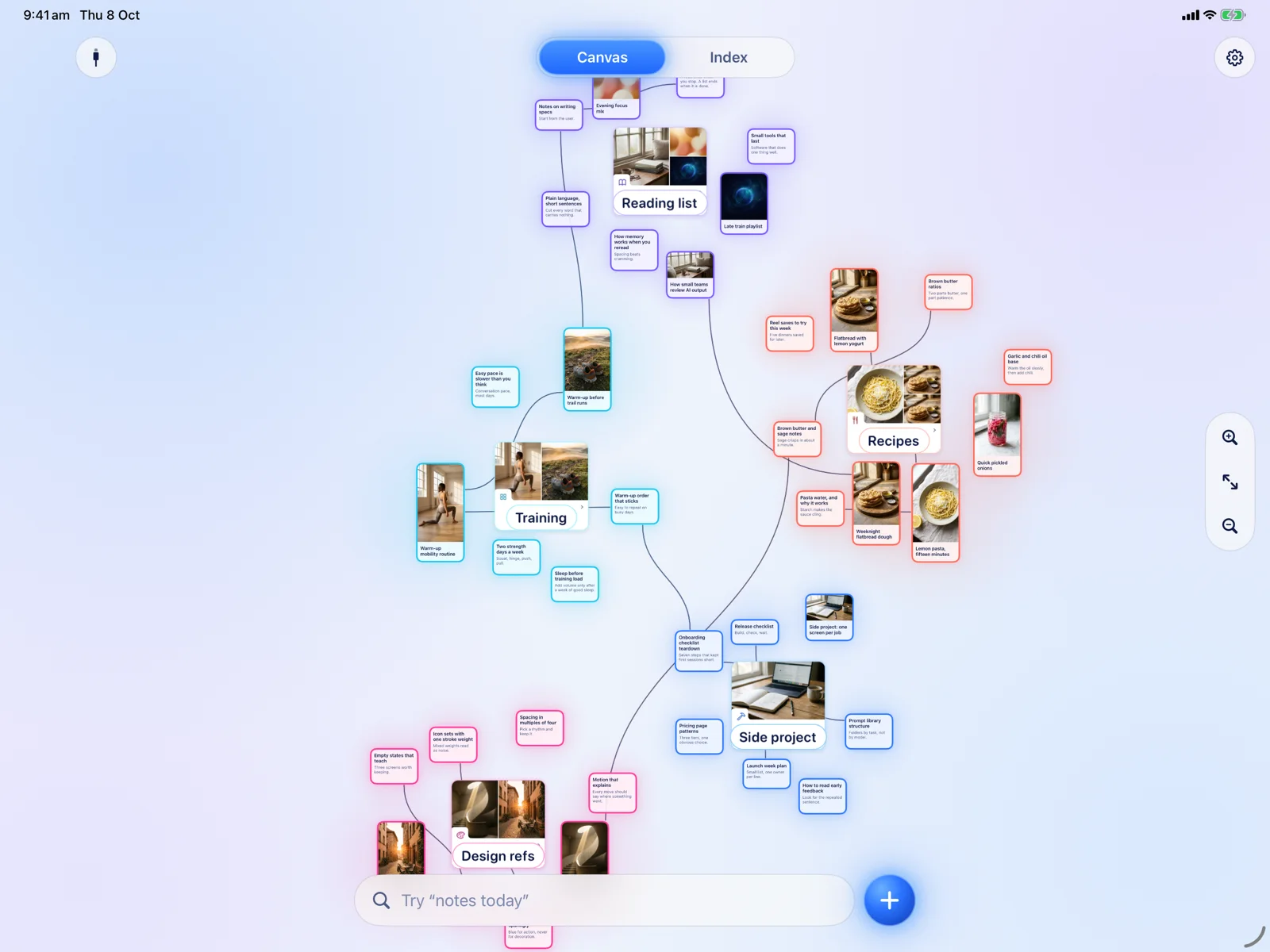
One download for both. Your library syncs between them through your own private iCloud, and on iPad the canvas has room to spread out.
Private by default
Your notes, files, photos and voice notes are stored on your iPhone or iPad, and in your own private iCloud if you are signed in. Moon Shard has no access to your iCloud.
Search and voice transcripts run on your device. Online features come with Clarity Plus and stay off until you turn them on. With summaries on, each link you save goes to Clarity's server, and the link, its text and the summary are kept there. Your connected AI reads from that copy. You can turn summaries off in Settings.
We don't show ads, we don't track you across apps and we don't sell data. Clarity is paid for by people who use it.
What's free
Everything you need to keep what you find, with no limit on how much.
From the share sheet in any app. No cap, no monthly count.
Saves sort into areas you can pan, pinch and rearrange.
Find a save from a vague memory, including the words inside screenshots.
Record a thought and it is transcribed on your iPhone.
What was said in a TikTok, Instagram or YouTube video, searchable with the rest.
Your saves on the Home Screen, and Shortcuts to save and find.
Your library on iPhone and iPad, and exported whenever you want it.
Every save stays yours to open, search and export, with or without Plus.
Clarity Plus adds summaries of what you save and lets Claude and ChatGPT search it. Try it free for 7 days in the app.
Clarity keeps it, finds it again when you need it and hands it to your AI.

Mac